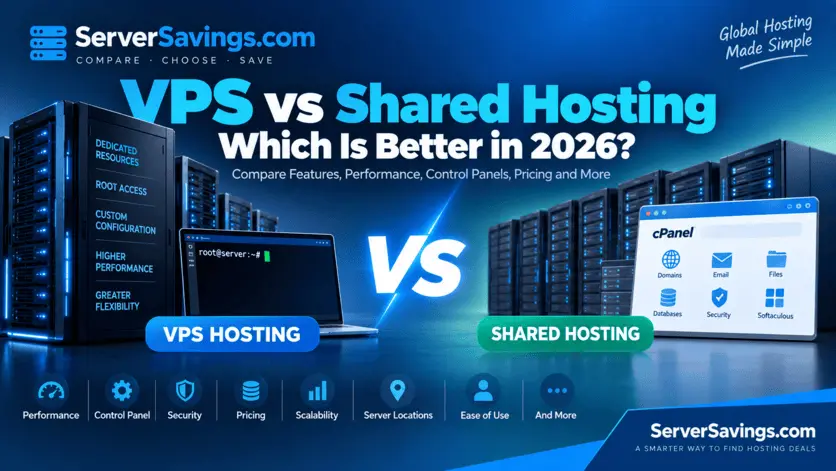
VPS vs Shared Hosting: Which Is Better in 2026?
Deciding between VPS hosting and shared hosting is one of the first decisions you need to make when launching your website or online application.
Both options can be cost-effective and dependable, but they are aimed at different types of companies and users.
Shared hosting is generally easier to work with and cheapest. VPS hosting provides more control, flexibility and dedicated virtual resources. It is better suited for developers, large-scale websites and online applications.
In this guide, we will compare VPS and shared hosting, covering performance, costs, control-panel options, root access, security, scalability and technical aspects.
VPS vs Shared Hosting at a Glance
| Feature | Shared Hosting | VPS Hosting |
|---|---|---|
| Price | Usually cheaper | Usually more expensive |
| Ease of use | Very easy | Moderate to advanced |
| Server control | Limited | High |
| Root access | Usually unavailable | Usually available |
| CPU/RAM | Shared resources | Allocated virtual resources |
| Control panel | Usually included | Depends on provider/plan |
| cPanel | Common | Available on some VPS plans |
| Plesk | Available with some providers | Available with some providers |
| Custom software | Limited | Much more flexibility |
| Scalability | Limited | High |
| Server configuration | Limited | Highly configurable |
| Security control | Provider-managed | More user control |
| Backups | Depends on provider | Depends on provider |
| Technical knowledge | Low | Moderate to high |
| Best for | Small websites | Applications and growing websites |
What Is Shared Hosting?
Shared hosting is a hosting environment where multiple customers share the resources of the same physical server.
The hosting provider normally manages the underlying server hardware, operating system and most of the technical infrastructure.
This makes shared hosting simple for customers. You normally do not need to configure a server, install an operating system or manage system-level security.
Instead, you receive a hosting account with access to a control panel where you can manage your websites, domains, databases, email accounts and other hosting features.
Who Should Use Shared Hosting?
Shared hosting is a good option for:
- Personal websites
- Blogs
- Portfolio websites
- Small business websites
- Company websites
- Landing pages
- Small WordPress websites
- Websites with relatively low traffic
- Beginners who do not want to manage a server
If your main goal is to get a website online quickly without dealing with server administration, shared hosting is usually the simpler choice.
What Is VPS Hosting?
VPS stands for Virtual Private Server.
A VPS uses virtualization technology to partition a physical server into multiple isolated virtual environments. Each VPS receives its own allocated resources such as CPU cores, RAM and storage.
Unlike shared hosting, a VPS normally provides much greater control over the operating system and server configuration.
Depending on the provider, you may receive root or administrator access, giving you the ability to install software, configure services and customize the server environment.
Who Should Use VPS Hosting?
A VPS can be a better choice for:
- Developers
- Web applications
- APIs
- Growing websites
- High-traffic websites
- Custom software
- Databases
- Development environments
- Game servers
- Private services
- Businesses requiring more server control
VPS vs Shared Hosting: Performance
Performance is one of the biggest differences between the two hosting types.
With shared hosting, multiple customers use the same physical server infrastructure. The hosting provider normally manages resource allocation to ensure the server remains stable.
With VPS hosting, your virtual environment receives allocated resources such as CPU and RAM.
This can provide more predictable performance, particularly when your application requires more resources.
However, VPS does not necessarily mean that every VPS is faster than every shared hosting plan. Hardware quality, virtualization technology, CPU performance, storage technology, network connectivity and provider configuration all matter.
When Shared Hosting Is Enough
For a small website with modest traffic, shared hosting can provide excellent performance without the additional cost and complexity of a VPS.
You do not necessarily need a VPS simply because you want a fast website.
Good website optimization, caching, a suitable CDN and properly configured software can have a significant impact on performance.
When VPS Makes More Sense
A VPS becomes more attractive when your website or application requires:
- More CPU resources
- More RAM
- Custom server configuration
- Background processes
- Custom software
- Dedicated virtual resources
- Greater control over resource usage
Control Panels: cPanel, Plesk and More
One of the most important differences that buyers often overlook is the control panel.
A control panel provides a graphical interface for managing your hosting environment.
Control Panels on Shared Hosting
Shared hosting plans normally include a control-panel as part of the hosting package.
Depending on the provider, this could include:
- cPanel
- Plesk
- DirectAdmin
- SPanel
- A custom hosting control panel
Through a control panel, you can normally manage:
- Domains
- Subdomains
- DNS records
- Email accounts
- Databases
- File management
- SSL certificates
- Backups
- Website statistics
- Cron jobs
- Security settings
This is one reason shared hosting is attractive to beginners.
Control Panels on VPS Hosting
VPS hosting works differently.
Some VPS providers offer a control panel, while others provide only a server with SSH or remote administrative access.
Depending on the provider and plan, you may be able to install or purchase software such as:
- cPanel
- Plesk
- DirectAdmin
- CyberPanel
- Webmin
- Other server management panels
A control panel can make VPS management much easier, but it can also increase the overall cost of the VPS.
For example, a low-cost VPS advertised at $5 per month may not include a commercial control-panel license.
Therefore, when comparing VPS deals, always check whether the control panel is included.
Root Access
Root access is another major difference.
Shared hosting normally does not provide root access.
The provider manages the operating system and server-level configuration. Customers receive access only to the hosting account and features provided by the hosting company.
This limitation is intentional because many customers share the same server environment.
VPS plans normally provide root or administrator access.
This gives you significantly more control over the server.
You may be able to:
- Install packages
- Configure web servers
- Install databases
- Change server settings
- Run custom applications
- Configure firewalls
- Install monitoring software
- Create custom services
- Modify system-level settings
However, root access also means you are responsible for making sure the server is configured correctly.
VPS vs Shared Hosting: Security
Security largely depends on the hosting provider and how the server is configured.
Shared hosting providers normally handle much of the server-level security for customers.
This can be an advantage for beginners because you do not have to manage every aspect of server security yourself.
With a VPS, you normally have more control over security configuration, but you also have more responsibility.
You may need to configure:
- Firewall rules
- SSH security
- Software updates
- User permissions
- Malware protection
- Web server configuration
- Intrusion prevention
- Security monitoring
A VPS can therefore provide more control, but it requires more knowledge.
Server Management
This is one of the biggest practical differences.
Managed Shared Hosting
Shared hosting is normally managed by the provider.
The provider normally takes care of much of the server infrastructure, allowing you to concentrate on your website.
Managed VPS
Some providers offer managed VPS hosting.
With managed VPS hosting, the provider normally helps with operating-system updates, server configuration, security and technical maintenance.
Managed VPS plans normally cost more than unmanaged VPS plans.
Unmanaged VPS
With an unmanaged VPS, you are normally responsible for server administration.
You may need to handle:
- OS updates
- Security configuration
- Software installation
- Firewall configuration
- Web server configuration
- Database configuration
- Backups
- Monitoring
- Troubleshooting
Unmanaged VPS hosting can be excellent for experienced users and developers who want complete control.
Scalability
Shared hosting is normally suitable for smaller websites, but can become restrictive as resource requirements increase.
A VPS provides a more flexible environment.
Depending on the provider, you may be able to upgrade:
- CPU
- RAM
- Storage
- Bandwidth
- Other server resources
This makes VPS hosting a popular choice for websites and applications that are expected to grow.
However, scalability varies by provider, so check the available upgrade options before purchasing a VPS.
Storage: SSD vs NVMe
Storage technology can have a significant impact on server performance.
Many modern hosting providers normally offer SSD or NVMe storage.
SSD
SSD storage is significantly faster than traditional mechanical hard drives and is common in modern hosting environments.
NVMe
NVMe storage is designed for high-speed solid-state storage and can provide substantially higher storage performance than traditional SATA-based SSD configurations.
When comparing VPS or shared hosting offers, look at the actual storage technology rather than simply the storage capacity.
A plan offering 50 GB of NVMe storage may be more attractive for certain workloads than a plan offering a larger amount of slower storage.
Bandwidth and Network Connectivity
Bandwidth is another important consideration.
Shared hosting plans normally advertise bandwidth as either a specific monthly amount or as "unmetered" subject to the provider's acceptable-use or resource policies.
VPS plans may provide a specific monthly transfer allowance, sometimes measured in TB.
Do not compare bandwidth numbers alone.
Also consider:
- Network speed
- Port speed
- Datacenter location
- Routing
- Network quality
- Traffic limits
- Fair-use policies
Choosing the Right Server Location
The physical location of your hosting server matters.
If most of your visitors are located in Asia, for example, a Singapore or Tokyo location may be more appropriate than a server in North America.
Likewise, European websites may benefit from choosing a European datacenter, while websites targeting North American visitors can consider locations in the United States or Canada.
ServerSavings allows you to compare hosting offers by location, making it easier to find providers serving the region you need.
Backups
Backups are essential regardless of whether you use shared hosting or VPS hosting.
Shared hosting providers may include automated backups as part of the hosting package.
With VPS hosting, backup availability varies significantly between providers.
Some VPS plans include backups, while others charge separately or require you to configure your own backup solution.
Before buying a VPS, check:
- Whether backups are included
- Backup frequency
- Retention period
- Backup storage
- Restore process
- Additional backup cost
Never assume that a VPS automatically includes backups.
Email Hosting
Shared hosting normally includes email hosting.
Depending on the plan, you may be able to create addresses such as:
[email protected][email protected][email protected]VPS hosting can also be configured for email, but running your own mail server is significantly more complicated.
For many businesses, using a dedicated email service rather than hosting email on the VPS can be a better approach.
Pricing: VPS vs Shared Hosting
Shared hosting is normally the cheaper option.
You can normally find shared hosting plans designed specifically for beginners and small websites.
VPS hosting normally costs more because you receive greater resources and control.
However, cheap VPS offers have become increasingly common, particularly from providers offering hourly or monthly billing.
When comparing prices, look at the total cost, not only the advertised base price.
Consider:
- Monthly VPS cost
- Control-panel license
- Backup cost
- Additional IP addresses
- Managed-support fees
- Storage upgrades
- Bandwidth costs
- Renewal pricing
A VPS advertised at $5/month may cost considerably more if you require a paid control panel and managed services.
Technical Knowledge Required
Shared hosting normally requires very little technical knowledge.
You can normally:
- Purchase a hosting plan
- Point your domain to the hosting account
- Install your website
- Configure email
- Manage everything through the control panel
VPS hosting normally requires more knowledge, particularly when using an unmanaged server.
You may need to understand:
- Linux
- SSH
- DNS
- Web servers
- Firewalls
- File permissions
- Databases
- SSL certificates
- Server security
- System updates
If these concepts are unfamiliar, managed VPS hosting or shared hosting may be a better starting point.
VPS vs Shared Hosting for WordPress
For a small WordPress website, shared hosting is normally sufficient.
Shared hosting can provide:
- WordPress installation
- SSL
- Databases
- Control panel
- Backups
- Basic caching
As the website grows, a VPS may become more attractive when you need greater resources or server-level control.
However, moving to a VPS should be based on actual requirements rather than simply assuming that VPS hosting is always better.
VPS vs Shared Hosting for Businesses
Small businesses with a simple informational website can normally use shared hosting.
A VPS becomes more useful when the business operates:
- High-traffic websites
- Custom applications
- APIs
- SaaS platforms
- Large databases
- E-commerce applications
- Multiple services
The additional control provided by a VPS can be valuable for businesses that need custom configurations.
Which Is Better: VPS or Shared Hosting?
There is no universal winner.
The right choice depends on your website, budget and technical requirements.
Choose Shared Hosting If:
- You are a beginner
- You want the lowest cost
- You run a small website
- You want an included control panel
- You don't need root access
- You don't want to manage a server
- You need simple email and website management
Choose VPS Hosting If:
- You need root access
- You need more control
- You run custom software
- Your application requires specific configurations
- You need more predictable resources
- Your website is growing
- You are comfortable managing Linux servers
- You need a flexible server environment
VPS vs Shared Hosting: Final Verdict
For most beginners and small websites, shared hosting is the easier and more affordable choice.
For developers, growing businesses and applications requiring greater control, VPS hosting provides significantly more flexibility.
The best option is not necessarily the one with the most CPU or RAM. It is the hosting solution that provides the resources, management features, control and price that match your actual requirements.
Compare VPS and Shared Hosting Deals
Rather than checking hosting providers individually, you can compare multiple offers on ServerSavings.
Compare VPS Offers
Browse VPS plans by price, RAM, CPU, storage and location to find a server that matches your requirements.
Explore VPS Offers →
https://serversavings.com/vps-offers
Compare Shared Hosting Offers
Compare shared hosting plans by provider, price, storage, number of websites and location.
Explore Shared Hosting Offers →
https://serversavings.com/shared-hosting-offers
Frequently Asked Questions
Is VPS better than shared hosting?
- VPS hosting provides more control and flexibility, but shared hosting is normally better for beginners and small websites. The best choice depends on your requirements.
Is VPS faster than shared hosting?
- A VPS can provide more predictable resources and better performance for resource-intensive applications, but actual performance depends on the provider, hardware, configuration and workload.
Does VPS hosting include cPanel?
- Not always. Some VPS providers include cPanel or another control panel, while others require you to purchase and install it separately.
Is cPanel included with shared hosting?
- Many shared hosting providers include a control panel such as cPanel, but this varies by provider and plan.
Do VPS plans have root access?
- Most unmanaged VPS plans provide root or administrator access, although the exact access level depends on the provider.
Is shared hosting good for WordPress?
- Yes. Shared hosting can be an excellent choice for small and medium-sized WordPress websites, especially when the hosting plan includes WordPress support, SSL, backups and a suitable control panel.
Should beginners use VPS hosting?
- Beginners can use a managed VPS, but unmanaged VPS hosting requires more technical knowledge. For a first website, shared hosting is normally easier.
Can I upgrade shared hosting to VPS?
- Many hosting providers allow customers to migrate from shared hosting to VPS hosting as their resource requirements increase. The migration process depends on the provider.
Which is cheaper, VPS or shared hosting?
- Shared hosting is normally cheaper. However, budget VPS plans can also be very affordable, particularly when comparing different providers and billing options.
Conclusion
VPS and shared hosting serve different purposes.
Shared hosting prioritizes simplicity and affordability. VPS hosting prioritizes control, flexibility and dedicated virtual resources.
If you are launching a simple website and want an easy hosting experience, start with shared hosting.
If you need root access, custom software, greater control or a more configurable server environment, VPS hosting may be the better option.
Before making a decision, compare the available plans, resources, control panels, server locations, backup options and total cost.
Use ServerSavings to compare VPS and shared hosting deals from multiple providers and find the option that fits your project.